

The go-live date moved four months. Not because ERPNext could not do what was needed, and not because the team was slow.
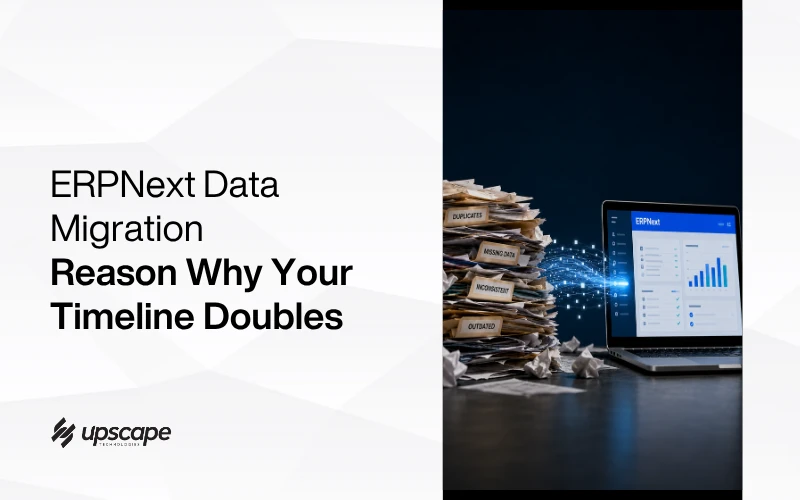
It moved because somebody finally opened the customer list properly and found 4,000 records, of which roughly 900 were duplicates. Same companies, three different spellings each. Hundreds had no tax registration number. Stock quantities had stopped matching the physical warehouse somewhere around 2021.
None of that was visible while the data sat quietly in the old system. It only surfaced when someone tried to move it.
This is the phase that quietly wrecks ERP timelines, and it is almost entirely predictable. Here is what to expect, what to clean, and how to test it properly.
Why Migration Is Where Timelines Break
How Bad Data Hides Until You Move It
Your existing system tolerates a lot. Duplicate customers are mildly annoying. A missing field is something the team works around. Inconsistent formatting is invisible because humans read around it.
A new system does not read around anything. It enforces rules, requires mandatory fields, and refuses records that do not fit. Every workaround your team quietly built over the years surfaces at once, usually during the week you planned to go live.
The 20 to 30 Percent Rule
This is the number worth planning around. Data cleanup should be budgeted at roughly 20 to 30 percent of the entire project timeline, and the work needs to start early rather than being slotted in near the end.
A fifth to a third of the whole project, on a task most businesses assume takes a week. That single misjudgement explains more overruns than any technical issue.
It is also work that cannot be fully delegated. Your implementation partner can build the tools, write the scripts and run the migrations, but only your team knows whether two similar customer records are actually the same company, or whether a product discontinued in 2020 still needs to exist for warranty claims. Those decisions require someone who knows the business, and that person usually has a full-time job already.
Plan for that. The most common cause of a stalled migration is not technical difficulty. It is waiting on decisions from people who were never given time to make them.
What Actually Needs Cleaning Before You Migrate?
Direct answer: duplicates, inconsistent formats, records missing mandatory fields, and anything that stopped reflecting reality years ago.
Duplicates and Near-Duplicates
Exact duplicates are easy to find. The expensive ones are near-duplicates: “Al Noor Trading LLC”, “Al Noor Trading”, and “AlNoor Trading L.L.C.” are one customer wearing three costumes.
De-duplication is one of the core cleansing tasks and it needs human judgement, not just a script. Somebody who knows the business has to decide which records are genuinely the same company.
Standardising Formats
Phone numbers stored six different ways. Tax registration numbers with and without spaces. Dates in two formats because two people entered them.
None of this matters until a system tries to validate it, or until you need to send compliant invoices and the format is wrong. Standardising formats before loading is far cheaper than fixing records one at a time afterwards.
Deciding What Not to Bring
This is the step people skip, and it saves the most time. Not everything deserves migrating.
Customers who have not traded in eight years, products long discontinued, historical transactions beyond what you need for reporting and compliance. Every record you choose not to move is one you do not have to clean, map, test or reconcile. Archive the old system as a read-only reference and move what the business actually uses.
Mapping: The Step Everyone Underestimates
Field by Field, Documented
Mapping means deciding exactly which field in the old system becomes which field in ERPNext, including any transformation along the way. It needs to be documented explicitly rather than held in one person’s head.
This document becomes the reference for every test migration. Without it, each run produces slightly different results and nobody can explain why.
Where Legacy Fields Have No Home
You will find fields with nowhere obvious to go. A custom column somebody added years ago. Notes typed into the wrong field because the right one did not exist.
Each needs a decision: map it somewhere sensible, create a custom field, or deliberately drop it. Making those decisions consciously, in advance, prevents the panicked improvisation that happens at cutover.
Resist the urge to create a custom field for everything. Every custom field is something to maintain, document and carry through future upgrades. If a legacy field exists because of a process you are about to replace anyway, dropping it is the better answer. Migration is one of the few natural opportunities to stop carrying things you no longer need.
Opening Balances Need Their Own Attention
Financial opening balances deserve treating as a separate exercise from general data migration. They need to be agreed with whoever signs off your accounts, reconciled to a specific date, and validated after loading.
Getting this wrong is uniquely painful, because the errors surface at month end when everyone is already under pressure and the numbers need to be right.
How Many Test Migrations Do You Need?
Direct answer: at least two full runs with real data, and more if the first two surface significant problems.
At Least Two Full Dry Runs
Running at least two complete test migrations before the actual cutover is standard practice. Use real data, not a sample, because problems concentrate in the messy edges that clean samples never contain.
Each run should be validated by the people who own that data. The finance team checks the financial records. The warehouse team checks the stock. They spot wrongness that a technical check cannot.
A migration can be technically flawless and still wrong. Every record lands in the right field, nothing errors, and the warehouse supervisor takes one look and says those stock figures have not been right since before the last audit. No script would ever have caught that.
Reconciling Counts and Totals, Not Spot Checks
Do not validate by opening five records and nodding. Compare record counts and financial totals between the two systems. If the old system says 4,102 customers and ERPNext says 3,847, you have a concrete question to answer rather than a vague feeling that it looks fine.
This structured validation should run again immediately after go-live to confirm opening balances, historical records and in-flight transactions all landed correctly.
Parallel Running and the Fallback Plan
Running Both Systems Briefly
For anything business-critical, running the old and new systems concurrently for a short period lets you compare outputs and catch discrepancies while you still have a working alternative.
It is genuinely more work for the team during that window. It is also the difference between discovering a problem and being trapped by it.
Written Exit Criteria Before Go-Live
Agree in advance what has to be true before the old system is switched off. Specific conditions: a full month-end closed successfully in ERPNext, stock counts reconciled, invoices going out correctly.
Without written criteria, parallel running either stops too early because everyone is tired, or drags on for months because nobody wants to make the call.
The Rollback Nobody Wants to Need
A fallback plan, and one that has actually been tested rather than merely written down, is a standard part of a serious migration.
You will most likely never use it. Its value is that the team can make decisions calmly during go-live week instead of treating every problem as a crisis.
The Bottom Line
ERPNext will not clean your data, and no implementation partner can make years of inconsistent record-keeping disappear on your behalf. What a good partner does is surface the problem early enough that it becomes a planned phase instead of a delay.
Budget a fifth to a third of the project for it. Clean before you map, map before you test, test twice with real data, and keep the old system running until agreed conditions are met.
If you want a realistic view of what your data means for an implementation timeline, Fadil offers a free consultation with a live demo. Bring a sample of your actual records and you will get an honest read on how much cleanup sits between you and a working system.
WhatsApp Fadil or call +971 56 544 6259. It also helps to understand why ERP projects fail more broadly, since migration is only one of the places they come apart, and our ERPNext service page covers what implementation involves.
Every ERP project has a data problem. The successful ones just found theirs early enough to plan around it.