
Open your Google Ads account and go to the search terms report. Sort by cost, highest first. Now read what people actually typed to trigger your ads.
Most UAE business owners doing this for the first time find the same things. Somebody searching for a free version. Somebody looking for a job. Somebody wanting to do it themselves. A competitor’s brand name you have been paying for all year without knowing.
None of those people were ever going to buy from you, and you paid for every one of those clicks.
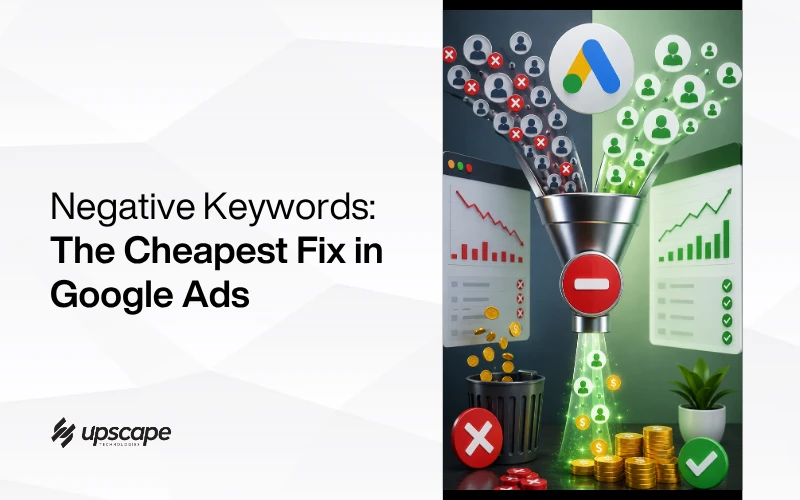
This is the cheapest fix available in Google Ads, it takes about twenty minutes, and most accounts have never had it done once. Here is how, including the part where people overdo it and make things worse.
What You Are Actually Paying For
The Scale of It
In accounts with no negative keyword management, Google’s own search terms report routinely shows a large share of triggered searches are simply irrelevant.
That is not a small leak. On a 10,000 dirham monthly budget, even a modest share of wasted clicks is money that produced nothing and never could have.
Advertisers who manage negatives properly commonly cut wasted spend meaningfully, and it is one of very few changes in advertising that costs nothing to make.
The Four Types That Waste Money
Nearly all wasted spend falls into four groups.
Free. People wanting a free version, a trial, a template, a download. They are not buyers.
Jobs. People looking for employment at a company like yours. Very common on service keywords, and completely worthless commercially.
Do it yourself. People researching how to do the thing themselves rather than pay someone. Sometimes worth targeting with content, never worth paying for on a sales campaign.
Wrong audience entirely. Students, researchers, other agencies, people in other countries, and searches that share a word with your service but nothing else.
There is a fifth worth watching in the UAE specifically: searches carrying another emirate or another country. If you only serve Dubai, paying for clicks from someone searching in Riyadh or Mumbai is pure waste, and it happens more than people expect because location settings are frequently misconfigured.
How Do You Find Wasted Spend?
Direct answer: the search terms report, sorted by cost, filtered for no conversions.
Sort by Cost, Not by Volume
This is the step most people get wrong. They sort by impressions or clicks, which surfaces terms that are frequent rather than expensive.
Sort by cost descending and filter for high-cost terms with zero conversions. One term quietly consuming 400 dirhams a month matters far more than fifty terms costing two dirhams each.
Work Down the List
Start at the top and work down until the amounts stop being meaningful. On a first pass you are usually looking at the top twenty or thirty terms, which is genuinely twenty minutes of work.
For each one ask a single question: could this person plausibly have become a customer? Not would they, could they. If the answer is clearly no, it becomes a negative.
Watch for Competitor Names
Competitor brand names show up constantly in search terms reports, and they are a decision rather than an automatic exclusion.
Sometimes they convert well, because someone comparing options is close to buying. Often they burn money on people who were only ever going to choose that competitor. Look at whether those terms have produced conversions before deciding, rather than assuming either way.
Check the Date Range
Look at a long enough period to be meaningful, usually the last 30 to 90 days. The report is the primary tool for finding hidden spend, but a single week rarely contains enough data to judge.
Broad Match Is Usually the Culprit
One Keyword, Dozens of Unintended Matches
Broad match is the single largest source of wasted spend, because Google interprets intent rather than matching words.
A worked example. Bid on “accounting software” using broad match and Google may serve your ad for “free accounting software download”, “accounting software tutorial”, and “accounting jobs Dubai”. Three searches, three clicks, three payments, zero buyers.
None of that is a malfunction. Broad match is doing exactly what it is designed to do, which is find loosely related searches. Whether that serves you depends entirely on whether anyone is watching the search terms report.
The Cheaper Fix Before Negatives
If most of your waste traces to one broad match keyword, changing its match type is often faster than adding twenty negatives. Phrase match keeps meaning while removing the loosest interpretations.
Use both. Tighten the match types, then clean up what still gets through.
Which Negative Match Type Should You Use?
Direct answer: broad for wide exclusions, phrase for patterns, exact for surgical removal.
The Three Types
Broad negative. Blocks any search containing those words in any order. Powerful and easy to overreach with.
Phrase negative. Blocks searches containing that phrase in order. The sensible default for most exclusions.
Exact negative. Blocks only that precise search. Use when a term is nearly always fine but occasionally wrong.
Where to Add Them
Add at the level that matches the scope of the problem. Ad group level for fine sculpting, campaign level for anything that should never apply to that campaign, and shared negative lists for terms that apply across everything.
Shared lists are underused and worth setting up early. Words like “free”, “jobs” and “salary” usually belong at account level rather than being added campaign by campaign.
One caution on shared lists. Because they apply everywhere, a mistake in one propagates across every campaign at once. Keep the account-level list short and genuinely universal, and put anything debatable at campaign level instead.
Negatives Do Not Work Retroactively
Worth being clear about this. Adding a negative stops future impressions. It does not refund what you already spent, and it does not remove the term from historical reports.
That is why the first cleanup usually produces the biggest saving, and why leaving it undone for another quarter costs real money rather than theoretical money.
The Mistake Nobody Warns You About: Over-Negating
Direct answer: yes, you can block too much, and it is a real problem rather than a theoretical one.
How Blocking Too Much Starves a Campaign
Adding negatives feels productive, which is exactly why people overdo it. Over-negation is now a genuine cause of poor Google Ads performance, particularly when broad negatives exclude far more than intended.
The damage is invisible. A campaign that quietly stops receiving qualified traffic looks like a campaign that is not working, and nobody thinks to check the negative list they built six months ago.
The Rule
Exclude what is clearly wrong. Leave what is merely uncertain.
If you cannot decide whether a search term is relevant, that uncertainty is a reason to leave it alone and watch, not a reason to block it. Blocking is easy to do and easy to forget you did.
Broad Negatives Are the Usual Offender
Adding “free” as a broad negative also blocks “free zone company setup”, which in the UAE may be exactly your customer.
Check your negative list for single common words added at account level. That is where over-negation hides, and it is why search terms report reviews should include reviewing what you previously excluded.
Making It a Habit
Weekly for the first month while the obvious waste is cleared out. Monthly after that.
Keep a note of what you added and why. In six months, when something is underperforming, you will want to know whether a negative you added is responsible. Without a record, the negative list becomes a place where causes hide.
None of this requires paid tools. The search terms report is free and sits inside the account you already have.
The Bottom Line
Twenty minutes in the search terms report is the highest-return work available in most Google Ads accounts, and the reason is simply that most accounts have never had it done.
Sort by cost. Ask whether each expensive term could plausibly have become a customer. Exclude the clear no’s. Leave the maybes. Come back monthly.
If you would rather have someone go through your account and show you exactly what is being wasted, our Google Ads management team in Dubai will do that review and tell you plainly what we find. If your ads are sending traffic to a page that cannot convert it, our website diagnostic checklist is worth reading first, and our guide on Google Ads ROI for Dubai ecommerce covers the online store side. The review is worth doing properly.
WhatsApp Hameed for a quick question, or call +971 56 544 6241 for a free consultation. Either reaches Hameed directly.
The cheapest improvement in advertising is not spending money on people who were never going to buy.