
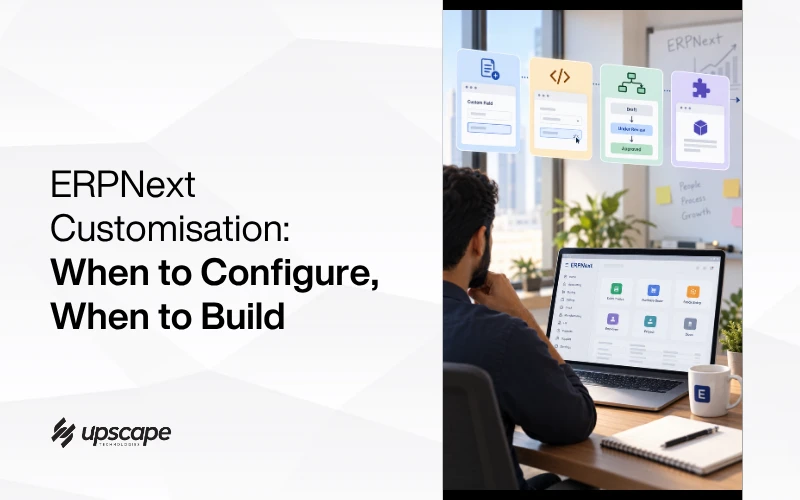

“We need ERPNext customised for how we actually work.”
Every serious implementation conversation includes some version of that sentence, and it is doing more work than it sounds like. Underneath it are four genuinely different kinds of change, priced and built completely differently, and the biggest cost overruns on ERPNext projects usually come from treating all four as if they were the most expensive one.
Here is the real hierarchy, from fastest and cheapest to genuine development, and how to tell which one a specific requirement actually needs.
Level One: A Custom Field
What It Actually Is
Every standard form in ERPNext has a defined set of fields, and when something needs capturing that has no matching standard field, a custom field can be inserted through Customize Form, a process that takes a few clicks in the interface itself.
No code, no developer, no separate app. Navigate to Customize Form, select the document type, add the field, save.
How Often This Covers What People Think Is a Bigger Problem
A surprising share of requirements that sound like custom development are actually this. “We need to track which supplier warehouse a shipment came from” is very often a single custom field, not a project. This is the level worth checking first, before assuming anything more complex is required.
Level Two: A Client Script
For Fields That Need to Behave Dynamically
Sometimes a field needs to do more than just exist: show or hide depending on another field’s value, auto-fill based on a related record, or validate something before saving. Client scripts handle exactly this kind of dynamic form behaviour, enhancing the interface without touching the underlying data structure.
Technically Code, Practically Accessible
Client scripts are technically JavaScript, which sounds like it belongs firmly in developer territory. In practice, many common patterns, showing a field only when a status equals something specific, auto-populating a related value, follow short, well-documented templates rather than requiring custom software architecture. This sits in a genuine middle ground between no-code and full development.
Level Three: A Workflow
When the Process Itself Needs Structure
Some requirements are not about a field at all, but about how a document moves through a business process. ERPNext’s built-in Workflow tool defines exactly this: a document moving from Draft, to Under Review, to Approved, with specific people or roles controlling each transition.
This is configuration, not development, and it solves a genuinely common requirement, multi-step approval, without writing anything.
Level Four: A Genuine Custom App or DocType
Direct answer: this is real development, reserved for a business process ERPNext has no existing concept of at all.
What Actually Distinguishes This Level
A custom DocType built in developer mode is saved as version-controlled code inside its own app, rather than existing only as a database entry. This matters for maintainability: it can be tracked, updated safely, and moved between environments cleanly as the business grows.
This is the right level when the requirement genuinely describes something new, an entirely different kind of record, not an addition to an existing one.
The Two Mistakes This Framework Prevents
Mistake One: Quoting a Custom App for a Custom Field
The most expensive version of getting this wrong is treating every requirement as level four by default. A business asked to customise ERPNext receives a full development quote and timeline for something that a competent implementer would have solved with a five-minute custom field, because nobody paused to identify which level the actual requirement belonged to.
Mistake Two: Forcing a Real New Process Into a Workaround
The opposite mistake is less common but genuinely damaging: stretching standard fields and scripts to simulate an entirely new business process because nobody wants to say the honest thing, that this genuinely needs custom development. The result is usually a fragile workaround that breaks the first time the business process itself changes slightly.
How to Actually Diagnose Which Level You Need
Start With the Simplest Question
Is this one additional piece of information on an existing document? That is almost always level one.
Does an existing field need to behave differently based on other data? That is level two.
Is this about the stages a document passes through before it is finalised? That is level three.
Does this describe a kind of record or process ERPNext has no existing concept of whatsoever? That is level four, and the only one that genuinely requires a development project.
Most Implementations Need All Four, Applied Correctly
One more reason to get this diagnosis right early: customisation decisions made during setup are much harder to unwind once real data is flowing through them. A custom field added on day one costs nothing. The same field introduced after eighteen months of transactions means backfilling history and reconciling records that were captured without it.
This is closely related to the sequencing problem in ERPNext data migration, where the order you do things in determines how much rework you inherit later.
A well-scoped ERPNext implementation is rarely purely one level. It typically uses several custom fields, a handful of client scripts for the fields that need to react to each other, one or two workflows for genuine approval processes, and a small number of true custom apps for the parts of the business that are genuinely unlike anything ERPNext ships with by default.
The skill in a good implementation is not avoiding customisation entirely, and it is not defaulting to full development either. It is correctly identifying which level each specific requirement actually belongs to.
The Bottom Line
“Customise ERPNext for how we work” is not one task, it is four different kinds of task wearing the same sentence. A custom field takes minutes. A client script takes an hour or two. A workflow is configuration. A genuine custom app is real development, and should be priced and scoped as such, not assumed as the default for every requirement that sounds unusual at first.
If you are scoping an ERPNext implementation and want an honest read on which of your requirements are quick configuration and which genuinely need development, our ERP services team can walk through your actual list before anything is quoted.
WhatsApp Fadil or call +971 56 544 6259 for a free consultation with a live demo.
Most ERPNext quotes that feel too expensive are pricing level four work for a level one problem.